

Description
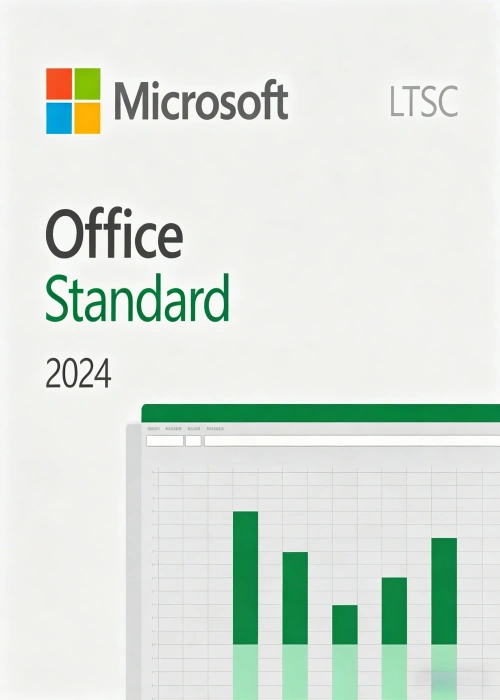
Microsoft Office LTSC (Long Term Service Channel) Standard 2024 is a robust, one-time purchase productivity suite tailored for organizations operating in highly regulated or restricted environments where frequent feature updates are not feasible. Released in September 2024, this suite is designed to deliver long-term stability, making it an ideal choice for businesses that rely on consistent, unchanging software functionality to maintain operational continuity.
Unlike subscription-based Microsoft 365 Apps, Office LTSC Standard 2024 does not receive ongoing feature updates after its initial release. Instead, it focuses on providing a reliable set of core productivity tools that remain consistent throughout its lifecycle. This stability is crucial for industries such as finance, healthcare, and government, where software changes can disrupt critical workflows and compliance requirements.
The suite includes essential applications to support daily business operations:
- Word: Create, edit, and format professional documents with advanced formatting tools and collaboration features (limited to offline use).
- Excel: Analyze data, build complex spreadsheets, and visualize insights with dynamic charts and formulas.
- PowerPoint: Design compelling presentations with a wide range of templates, animations, and multimedia integration.
- Outlook: Manage emails, calendars, contacts, and tasks efficiently, with enhanced search capabilities to streamline information retrieval.
- OneNote: Capture and organize notes, ideas, and meeting minutes in a digital notebook accessible across devices (offline).
Understanding MAK 500 Key Activation
Multiple Activation Key (MAK) is a volume licensing activation method provided by Microsoft for organizations that prefer a one-time activation process. The MAK 500 Key for Office LTSC Standard 2024 allows you to activate up to 500 individual devices, making it suitable for medium to large-sized businesses.
How MAK Activation Works
MAK activation operates through Microsoft-hosted services, enabling devices to activate either via the internet or by phone. Each device activated with a MAK key requires a unique connection to Microsoft’s servers to complete the activation process. Once activated, the device remains licensed for the lifetime of the software, with no need for recurring subscription payments.
Benefits of MAK 500 Key
- Scalability: With the ability to activate 500 devices, the MAK 500 Key offers flexibility for organizations with growing teams or multiple office locations. You can deploy the software across your workforce without the constraints of per-user subscription models.
- Simplicity: MAK activation is straightforward to implement. IT administrators can integrate the key into the deployment process using tools like the Office Deployment Tool (ODT) or Microsoft Configuration Manager, ensuring a seamless rollout across all devices.
- Offline Capabilities: While initial activation requires an internet connection (or phone verification), once activated, Office LTSC Standard 2024 can be used entirely offline. This is a critical advantage for organizations with limited or restricted network access, such as remote field teams or secure government facilities.
- Cost-Effectiveness: As a one-time purchase, the MAK 500 Key eliminates the recurring costs associated with subscription-based models. This makes it a cost-effective solution for organizations looking to minimize long-term software expenses while maintaining access to essential productivity tools.
Deployment and Management
Deploying Office LTSC Standard 2024 with a MAK 500 Key is designed to be efficient and customizable, allowing IT teams to tailor the installation to meet specific organizational needs.
Deployment Tools
- Office Deployment Tool (ODT): This command-line tool enables administrators to download and install Office LTSC Standard 2024 with custom configurations. By modifying the
configuration.xmlfile, you can specify the applications to install, language preferences, and activation settings (including the MAK key). - Microsoft Configuration Manager: For larger organizations, Microsoft Configuration Manager provides centralized management of software deployments. You can create deployment packages, schedule installations, and monitor activation status across all devices from a single console.
Step-by-Step Deployment Guide
- Prepare the Installation Package: Use the Office Deployment Tool to download the Office LTSC Standard 2024 installation files. Customize the
configuration.xmlfile to include your MAK key by adding the line:<PIDKEY Value="YOUR-MAK-KEY-HERE"/>. - Deploy to Devices: Distribute the installation package to target devices using Microsoft Configuration Manager or another software distribution tool. The installation process will automatically remove any previous MSI-based versions of Office to ensure compatibility.
- Activate the Software: Once installed, each device will automatically attempt to activate using the embedded MAK key. For devices without internet access, activation can be completed via phone by following the prompts in the Office activation wizard.
- Monitor Activation Status: Use Microsoft Volume Licensing Service Center (VLSC) or Configuration Manager to track the number of activated devices and ensure compliance with your licensing agreement.
System Requirements
To ensure optimal performance, Office LTSC Standard 2024 requires the following system specifications:
- Windows: Windows 11 or Windows 11 LTSC 2024.
- macOS: For Mac devices, Office LTSC Standard 2024 is available for volume licensing customers, compatible with the latest macOS versions.
- Hardware: A minimum of 4 GB RAM, 10 GB of available storage, and a 1 GHz or faster processor with SSE4.2 support.
Why Choose Office LTSC Standard 2024 MAK 500 Key?
- Long-Term Stability: Avoid the disruptions of frequent feature updates and maintain consistent software functionality for your organization.
- Cost Savings: One-time licensing eliminates recurring subscription fees, providing predictable software costs over time.
- Flexibility: Activate up to 500 devices, making it suitable for organizations of all sizes, from medium businesses to large enterprises.
- Offline Access: Enable productivity even in environments with limited or no internet connectivity, ensuring work can continue uninterrupted.
- Compliance and Security: Receive five years of mainstream support from Microsoft, including security patches and bug fixes, to keep your software secure and compliant with industry regulations.
Conclusion
Microsoft Office LTSC Standard 2024 MAK 500 Key is a powerful solution for organizations seeking a stable, cost-effective productivity suite. With its core set of essential applications, straightforward deployment process, and support for up to 500 devices, it empowers businesses to maintain productivity in regulated or restricted environments. Whether you’re a government agency, healthcare provider, or financial institution, this licensing option provides the reliability and control you need to focus on what matters most—growing your organization.






Reviews
There are no reviews yet.